Best CS2 Workshop Maps: Aim, Movement, and Utility
One best pick per training category - aim, recoil, prefire, utility, KZ, bhop - with Workshop IDs and a clear reason to pick each over its alternatives.
Workshop maps are the fastest way to isolate a specific weakness and fix it before you burn Premier rating learning it the hard way. The problem is there are dozens of options per category, most lists are outdated CS:GO carry-overs, and Workshop search is bad at surfacing the right version of a map.
This guide gives you one pick per training category, not a ranked list of ten, with Workshop IDs and a direct answer to why this one over the alternatives.
What Workshop Maps Actually Fix (and What They Don’t)
CS2 runs on 64 Hz official servers with sub-tick interpolation. Valve’s position is that sub-tick closes most of the gap versus 128-tick for the actions that matter: shots, jumps, and movement inputs. The practical effect on training is that spray patterns and flick registration feel slightly different from CS:GO muscle memory, especially at the start of a burst. Workshop maps let you isolate spray control or aim mechanics on a local server, with no Premier rating on the line, while you re-calibrate.
What workshop maps don’t fix: game sense, economy decisions, positioning, and communication. Time-capped players should treat workshop as a warmup, not a substitute for actual matches.
Aim Training - Aim Botz
Workshop ID: 3070244462
Aim Botz by Mr. uLLeticaL is the standard aim trainer for CS2, and it has earned that position by staying maintained. The CS2-native version (ID 3070244462) has updated textures and presets that the legacy CS:GO version doesn’t. The bots spawn on a predictable arc, distances are configurable, and there is a timer mode for tracking consistency across sessions.
The alternative is Fast Aim / Reflex Training (CS2 version, ID 3070758981), which swaps the structured bot-arc for waves of moving bots and measures reaction time directly. If your issue is reading angles quickly, it is the better drill. If your issue is raw flicking and landing shots on moving targets, Aim Botz first.
Neither map replicates the unpredictability of a real player. Five minutes on Aim Botz before queuing is a warmup, not a skill replacement.
Recoil and Spray Control - Recoil Master
Workshop ID: 3100869952
Recoil Master by Mr. uLLeticaL visualizes your spray pattern as a real-time dot overlay while you shoot, showing the gap between your mouse movement and the ideal compensation path. The CS2 version covers the AK-47, M4A4, M4A1-S and a range of other weapons, so you can drill the rifle you actually buy. The short-range mode focuses on first-bullet accuracy; long-range mode forces you to hold full sprays at distances where control actually matters.
The important habit when using it: don’t stare at the dot. Use it to diagnose your pattern after a burst, not to chase it in real time. Chasing the overlay builds the wrong kind of attention.
CS2’s spray patterns are not the CS:GO patterns. Valve re-tuned several of them in CS2, so use the CS2-native Recoil Master (ID 3100869952), not a CS:GO carry-over, if you want the overlay to match what the game actually does.
Prefire and Angle Clearing - Yprac Hub
Workshop ID: 3070715607
Yprac Hub by Yesber is the current actively-maintained CS2 version. The older Yprac Practice and Warmup (ID 740795413) is the legacy CS:GO hub, so use the newer ID.
The prefire mode has 64+ routes covering the current Active Duty pool: Anubis, Ancient, Dust II, Inferno, Mirage, Nuke, and Overpass. Anubis returned to Active Duty with the Premier Season 4 update on January 21, 2026 (the previous season ended January 19), replacing Train, and Yprac covers it. You walk through a map and bots appear at pre-set angles in the order a real opponent would be holding them. It is an angle-memorization drill, not reaction training.
To load it: subscribe to the map, then in-game open the console and run map_workshop 3070715607 _yprac. If the direct command doesn’t resolve, load it from the Workshop tab in the main menu under your subscribed maps. The -condebug launch option is recommended so you can review console output.
The 64+ route count covers common peek sequences, not every possible angle. Use it to build a default angle-clearing order, then expect real opponents to be off-script.
Utility Lineup Practice - Yprac Utility Mode
Yprac Hub includes a utility practice mode with 1,400+ grenade lineups across Active Duty maps. This is the most complete standalone lineup tool currently available: it covers smokes, molotovs, flashes, and HEs with position guides built into the map geometry.
The alternative is map-specific standalone lineup maps, for example individual Inferno or Mirage smoke maps. Those tend to be more curated but narrower in scope, and they are often maintained by different authors with inconsistent update cadences. For a player working through the full Active Duty pool, Yprac utility mode in one map is more time-efficient.
One caveat: lineup maps teach you where to stand and where to aim. They don’t build the decision-making for when to throw. Utility timing comes from match experience, not drills.
Movement Training - KZ Maps
KZ (kreedz) maps are obstacle courses that train air strafing, counter-strafing, landing precision, and bunny hop timing through structured jump sequences. The training transfers directly to real CS2 movement: the same air-strafe mechanics that let you complete a KZ block make your lateral movement less predictable and your landings more precise.
Where to get CS2 KZ maps: individual KZ map pages churn fast on the Workshop (authors re-port, take down, and re-upload constantly), so subscribe through a curated collection rather than chasing one map ID that may be dead by the time you read this. The community-curated “CS2 KZ Maps (gosh collection)” (Collection ID: 3179428851) aggregates KZ maps built for the CS2KZ plugin and was last curated in mid-2025. For the canonical, beta-tracked list with difficulty tiers, browse the official CS2KZ map list at cs2kz.org/maps, which labels each map’s tier so you can filter for the Tier 1-2 starting points.
Start with Tier 1-2 KZ maps. Tier 3+ before you have basic strafe control is frustration, not training. The goal in the first sessions is smooth strafes, not completing blocks. A clean strafe that fails a jump teaches more than a sloppy strafe that lands it.
Bhop and Surf
Bhop: bhop_dunedash - Workshop ID: 3118806244
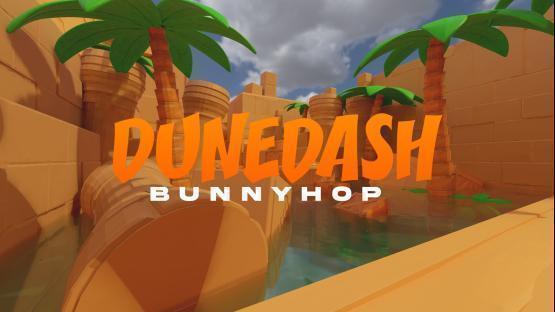
bhop_dunedash is a popular beginner-friendly bhop map for CS2. Bhop training builds timing on consecutive jumps and scroll-wheel control, which has minor practical value in CS2 matches but is a reasonable movement warmup. Several near-duplicate bhop collections also bundle this map, so check the page header for “Counter-Strike 2” before subscribing.
Surf: surf_utopia_njv - Workshop ID: 3073875025
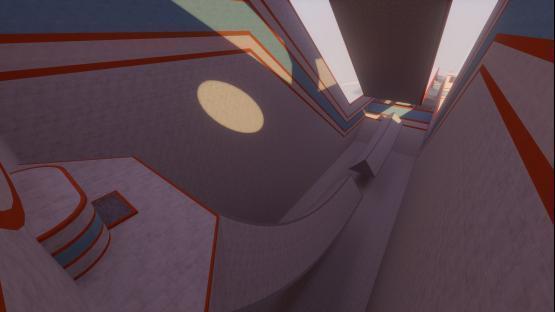
surf_utopia_njv is a Tier 1 linear surf map ported for CS2, rated beginner-friendly, with checkpoints along a single route. Linear layout means no branching paths: you follow one route from start to finish, which is the correct structure for learning surf mechanics before branching maps add navigation decisions on top of surf physics.
If you want one movement map instead of three, combined “movement hub” maps that bundle bhop, surf, and KZ sections do exist on the Workshop, and a single hub is more efficient than maintaining separate subscriptions when you are splitting limited warmup time across all three. Be careful which build you subscribe to, though: these hubs are frequently re-uploaded and several popular versions have been pulled or flagged as CS2-incompatible, so check the Workshop page header for “Counter-Strike 2” and a recent update date before relying on one.
Crosshair and Viewmodel Setup - crashz’ Crosshair Generator v4
Workshop ID: 3070193546
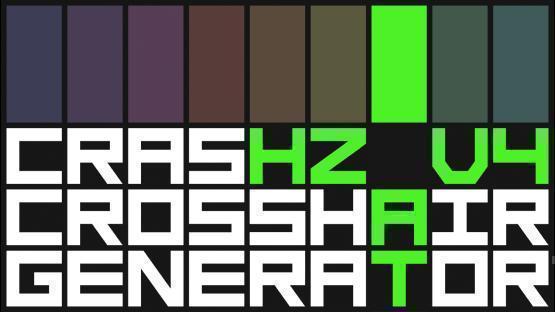
Crosshair Generator v4 by crashz is a pre-session configuration tool, not a training map. Load it when you want to change your crosshair setup: it renders every preset in a visible environment, lets you copy the crosshair code, and saves the round-trip of editing console values blind. Set it once, paste the code into your autoexec, and don’t open it again until you want to change something.
For the full explanation of crosshair console commands and how to import a code directly, see the crosshair settings guide.
Recommended Daily Warmup Routine
A 15-30 minute pre-Premier warmup that uses workshop time efficiently:
10-15 min aim (pick one per session, rotate):
- Aim Botz: 5 min static bots at your typical engagement distance, then 5 min moving bots
- Recoil Master: 5 min spray drill on AK and M4 at long range, then 5 min short-range first-bullet accuracy
5-10 min map-specific (before the map you are about to queue into):
- Yprac prefire: 2-3 routes on the map you expect, starting with the angles you personally die to most
- Yprac utility: 2-3 lineups you actively use, not new ones - warmup is about activating existing knowledge
Optional 5 min movement:
- KZ Tier 1 or bhop, not to complete it, but to get your air strafe timing calibrated
Skip the movement section when you are short on time. Aim and map-specific practice have the higher return for Premier performance.
FAQ
Does tick rate matter on workshop maps?
Workshop maps run on a local listen server when you load them solo, not on Valve’s official infrastructure. The sub-tick system applies to Valve’s online servers; on a local server, the behavior is determined by your client’s own server simulation. For most training purposes (aim, spray patterns, prefire angles) the difference is negligible. Movement maps like KZ and surf may feel slightly different because timing-sensitive mechanics can vary between server types.
The practical answer: don’t use workshop tick rate behavior as a reason to avoid them. The training value of isolated repetition outweighs minor feel differences.
Which Workshop IDs are for CS2, not CS:GO?
The main distinction: CS2-native maps say “Counter-Strike 2” in the Workshop page header and have recent update dates. Legacy CS:GO maps still appear in CS2’s Workshop search but may have geometry or lighting that looks off in the CS2 renderer. For the maps listed above, always check the Workshop page before subscribing. Some authors published separate CS2 versions under new IDs while keeping the old CS:GO page live.
How do I subscribe to Workshop maps?
Steam Library > Counter-Strike 2 > Workshop tab, or search directly at steamcommunity.com/app/730/workshop/. Subscribed maps appear in-game under Play > Practice > Workshop. You can also load them via console with map_workshop <ID> <mapname>.