Best Headset for CS2
The headsets CS2 pros actually use, ranked by live usage data from cs2pedia's pro dataset - chosen for positional accuracy, low-latency comms, and footstep localisation, not surround-sound gimmicks.
In CS2 the headset is a competitive instrument, not a comfort item. Before you ever see an enemy you can hear them - the scuff of a footstep changing direction, the distinct pitch of a reload, the side a defuse is coming from. The duel is often decided in that half-second of audio: the player who localises the sound first pre-aims the right angle and wins the trade.
That is the whole job of a CS2 headset, and it is why the pro field clusters tightly around a handful of models. The table below is computed live from cs2pedia’s dataset of pro profiles, so it reflects what the scene actually plays on - not a frozen list. The short version: one durable, stereo-clean classic still leads the field, with two wireless challengers crowding in behind it.
Why the Data Looks This Way
Headset usage in pro CS2 is unusually stable compared to mice or keyboards. The reason is simple: the thing that matters most - accurate stereo imaging, so you can tell left from right and front from back - was solved years ago, and a clean closed-back stereo headset does it just as well now as it did then.
There is no “next sensor generation” to chase. That is why the most-used model in the table above is a years-old design that keeps holding its lead: it does the one job perfectly and never needed replacing.
What has shifted is the wireless tier underneath the leader. The same latency story that played out in mice happened in headsets a little later - modern wireless dropped below the threshold where any human can feel the delay, so the wired-only rule died.
The result is the distribution above: a wired classic on top, a cluster of current wireless flagships filling the next several rows, and the gap between them is convenience and price, not performance. None of the dominant picks lean on virtual surround processing; they win on raw stereo accuracy and a usable mic.
What Actually Matters for CS2 Audio
Most of a headset’s marketing is irrelevant to Counter-Strike. Three things actually decide whether a headset helps you win rounds:
- Positional accuracy (stereo imaging). This is the entire point. CS2’s audio engine outputs a precise stereo field, and your job is to read it. A headset with clean, neutral channel separation lets you place a sound to a specific angle; a bass-heavy or muddy one smears it. Imaging beats every other spec on the sheet for competitive play.
- Latency (wired vs wireless). Wired has zero wireless-link delay and never needs charging - still the safe default, and the reason the field’s leader is wired. Modern wireless is now fast enough that the latency is imperceptible, so it is a convenience-and-budget choice rather than a performance penalty. Avoid Bluetooth for in-game audio: its latency is genuinely high. Use a low-latency 2.4 GHz dongle, which is what every wireless pick here ships with.
- Microphone for comms. A call only helps if your team can parse it. “Smoke A, two rotating” has to land cleanly mid-fight, so a clear, intelligible boom mic matters more than studio richness. Every headset in the table above has a comms mic that is good enough; the differences are marginal and won’t change a round.
Comfort is the quiet fourth factor. A best-of-three is hours in the chair, and a headset that clamps or cooks your ears becomes a distraction that costs you focus late in a series. It doesn’t win duels, but discomfort can lose them.
The Best Headsets for CS2 (Our Picks)
These picks are ordered by pro usage in our dataset - the more pros on a headset, the higher it sits here. Every one is a current, purchasable model. Where a pick resolves to a clean retail page we link it directly.
HyperX Cloud II
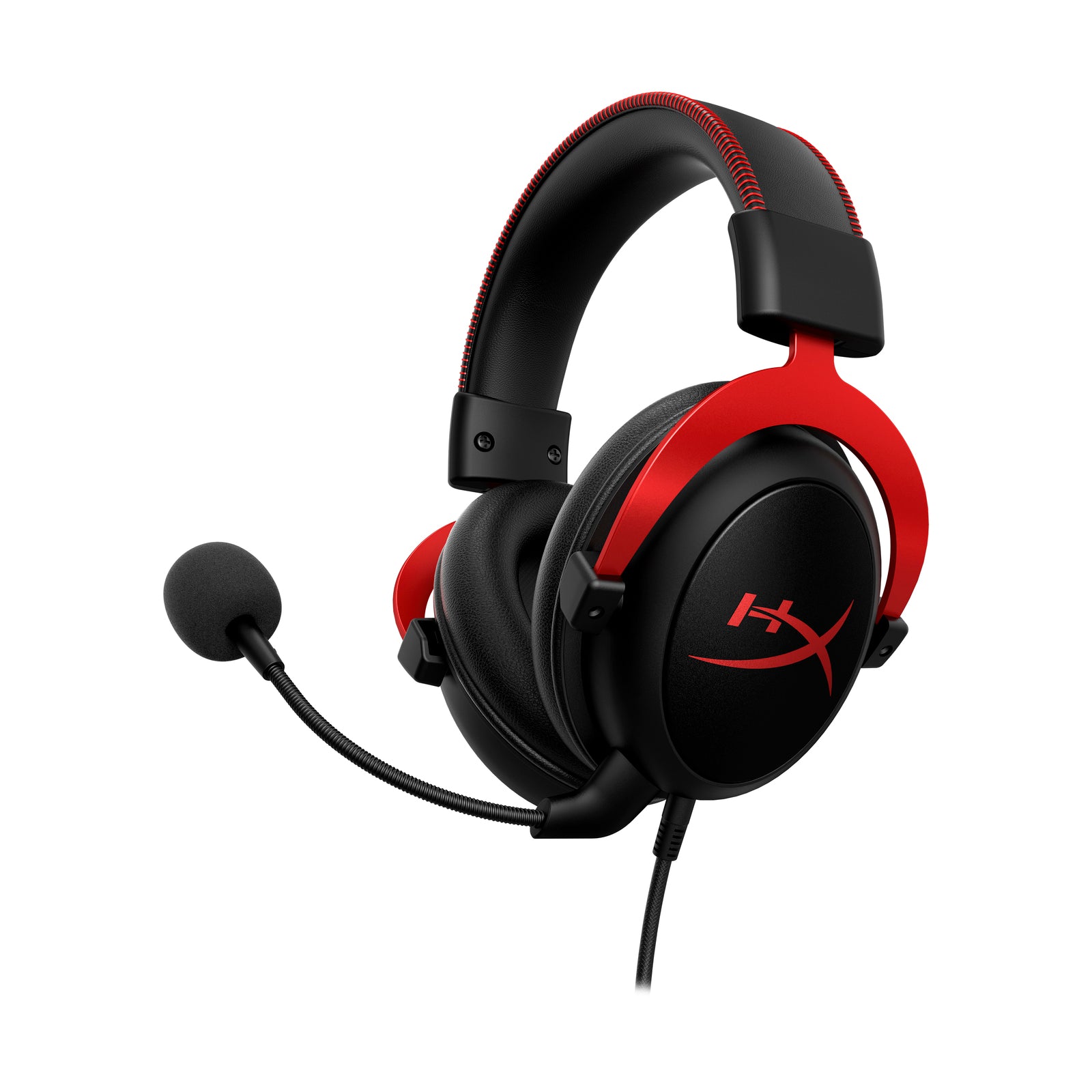
HyperX Cloud II
The single most-used headset in CS2. Wired closed-back stereo, memory-foam fit, clean imaging - leads the table by a clear margin and has held that lead for years.
The single most-used headset in CS2, and the no-overthinking default. It is a wired closed-back stereo headset with a memory-foam fit that survives a long series, and its imaging is exactly what you want - clean channel separation that places footsteps precisely without bass bloat muddying the field.
It leads the table above by a clear margin, and it has held that lead for years because nothing it does competitively has needed improving. (Note: HyperX also sells a wireless Cloud II and the newer Cloud III - those are separate models in the table above, and the original wired Cloud II is the one carrying the lead.)
Razer BlackShark V2 Pro
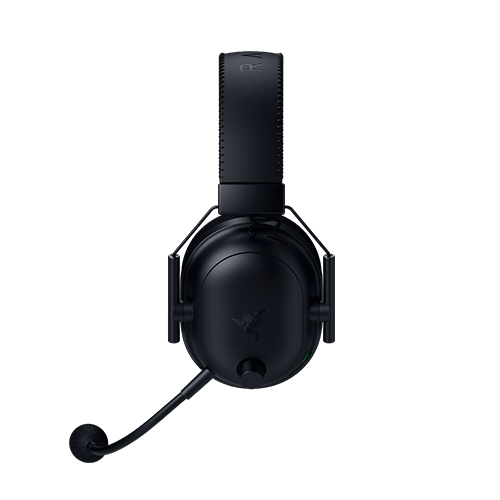
Razer BlackShark V2 Pro
One of the most-used wireless headsets in the pro field. Low-latency 2.4 GHz dongle (not Bluetooth), clean stereo separation, lightweight with detachable mic.
One of the most-used wireless headsets in the pro field, and the pick if you want to cut the cable without giving up imaging. It runs on a low-latency 2.4 GHz dongle (not Bluetooth), so there is no felt delay in-game, and its stereo separation is clean enough for serious footstep work. Lightweight with a detachable mic, it is the wireless model a large slice of the field has settled on.
Razer BlackShark V3 Pro
Razer BlackShark V3 Pro
Current-generation BlackShark - same recipe as the V2 Pro (2.4 GHz wireless, light closed-back, detachable mic) but newer. The V2 Pro is the value route to nearly the same experience.
The newer of Razer’s two BlackShark flagships in the table, and a strong wireless pick in its own right - it sits high in the dataset above. It is the same competitive recipe as the V2 Pro: low-latency 2.4 GHz wireless, light closed-back build, detachable mic, imaging tuned for positional clarity rather than bass.
If you are choosing a wireless BlackShark, the split is generation and price; the V3 Pro is the current one, and the V2 Pro is the value route to nearly the same experience.
Logitech G PRO X 2 Headset
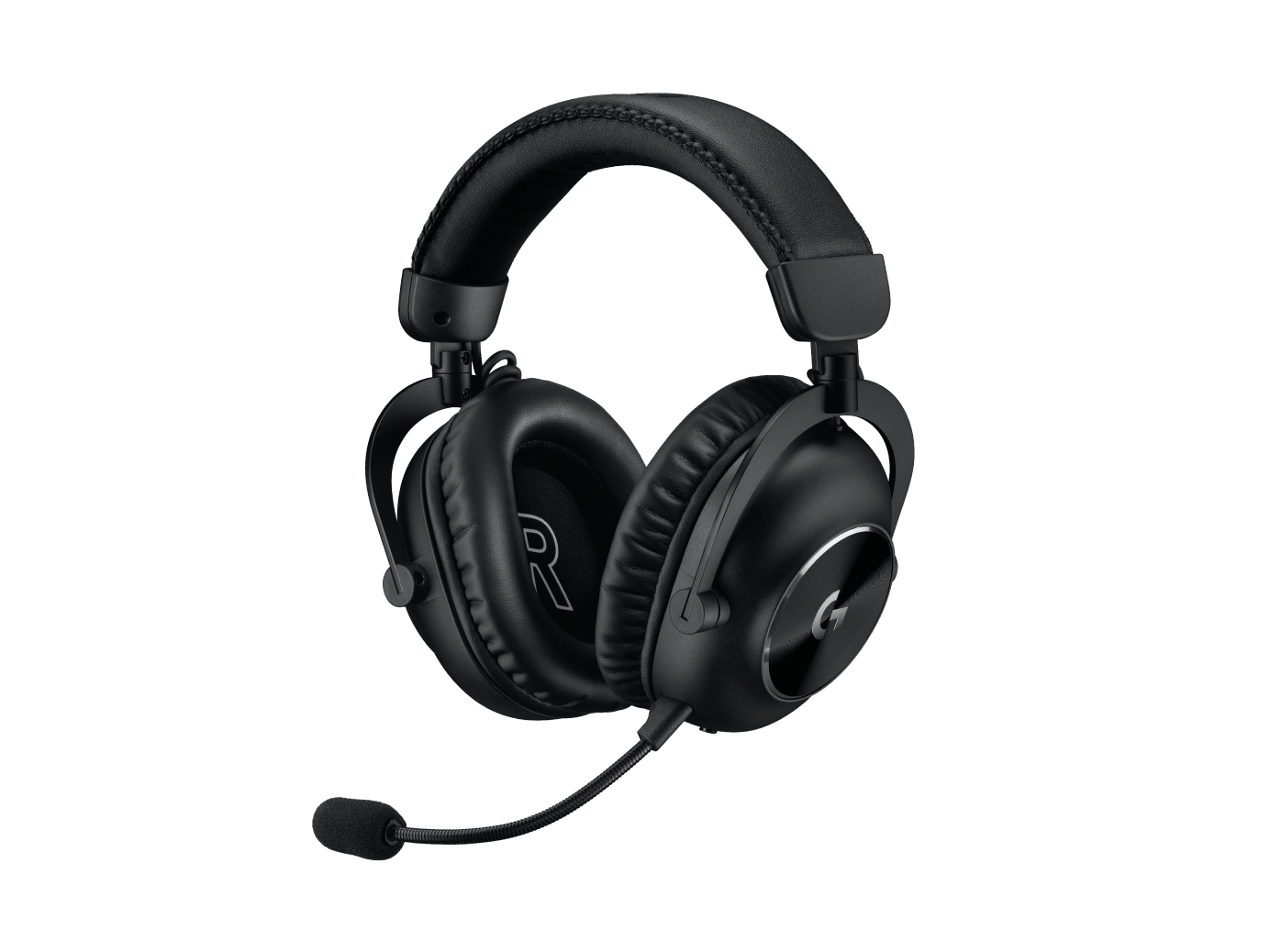
Logitech G PRO X 2 Headset
Logitech's current pro flagship - closed-back wireless on a low-latency dongle with detachable boom mic. Neutral, accurate imaging; turn off surround processing for competitive play.
A heavily-used wireless option and Logitech’s current pro flagship. It is a closed-back wireless headset on a low-latency dongle with a detachable boom mic, and it holds a substantial share of the field in the table above. Its imaging is neutral and accurate, which is what CS2 needs - the surround processing in its software is optional and best left off for competitive play.
Logitech G Pro X Headset
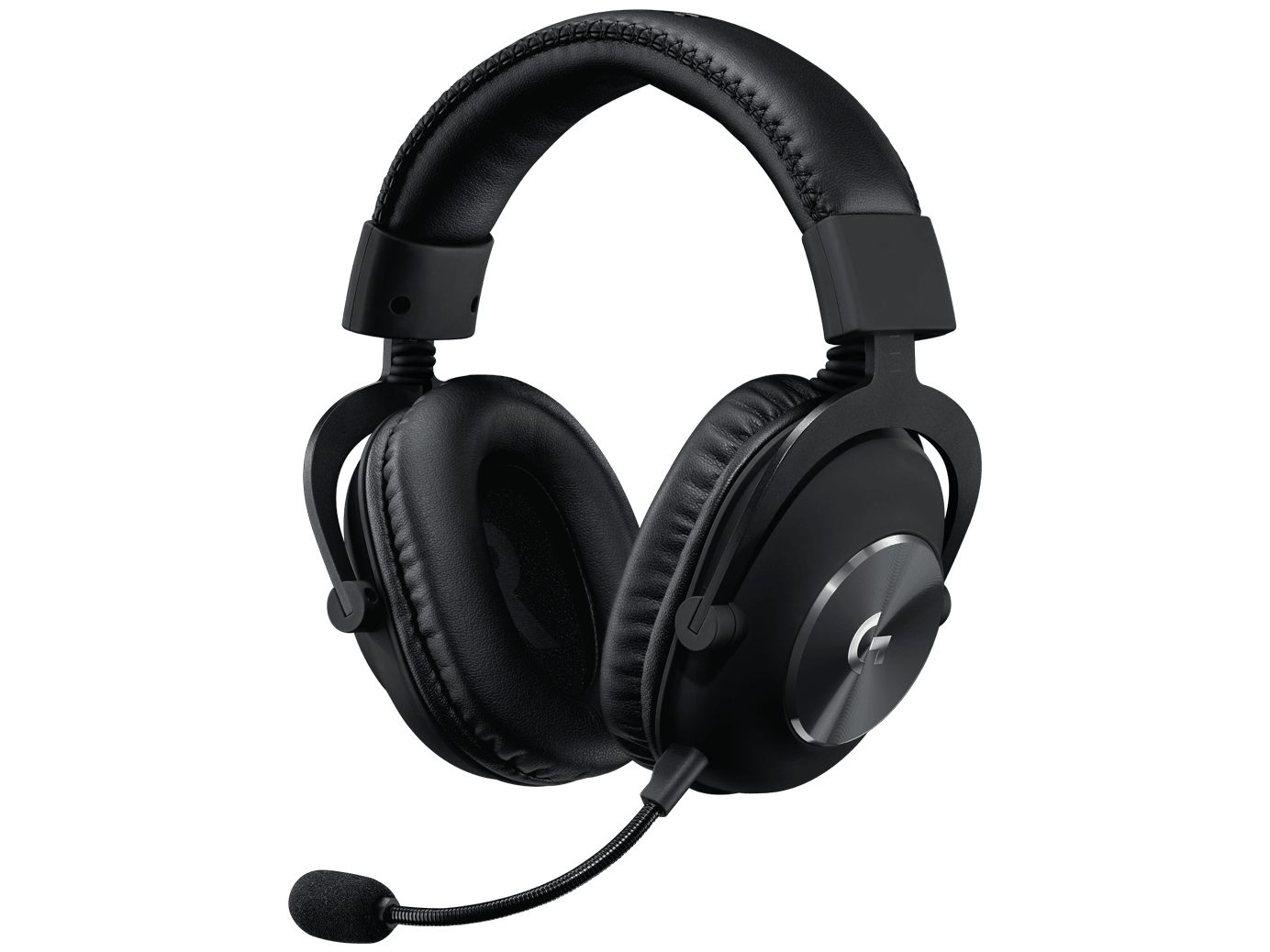
Logitech G Pro X Headset
Wired Logitech, now a value pick since the wireless G PRO X 2 launched. Metal frame, detachable mic, zero link latency, nothing to charge.
The wired Logitech in the field, and a genuine value pick now that its wireless successor exists. It is a closed-back stereo headset with a metal frame and a detachable mic, and it still holds a real share of the pro field in the table above. The wired connection means zero link latency and nothing to charge - the same logic that keeps the Cloud II on top.
What Pros Use vs What You Should Buy
Pro headset choices are partly sponsor-influenced. HyperX, Razer, Logitech, and SteelSeries all sponsor teams, so a player’s headset is sometimes a contract detail as much as a free preference. That is the honest caveat behind any “what pros use” list, including this one.
What protects you is the count and the spread. The headsets at the top of the table above are used by a large number of pros across many different orgs and sponsors - no single deal explains their dominance, so they win on merit. Buy any of the top picks and you are buying gear validated by a broad, sponsor-diverse chunk of the field.
Past that, the decision is mostly wired-vs-wireless and budget. If you never want to think about charging and want the safest single answer, the wired Cloud II is it. If you want to drop the cable, the BlackShark and Logitech wireless flagships are the proven options. The dataset tells you what is proven; your preference on the cable picks which proven option is yours.
What to Skip
A few headset features are pure marketing for competitive CS2, and chasing them wastes money - or actively hurts your audio:
- Virtual 7.1 surround. The biggest trap. Virtual surround (also called “spatial” or “3D” audio) takes CS2’s already-precise stereo signal and runs it through a processing layer that simulates extra speakers. For Counter-Strike that processing smears the imaging you depend on - it makes pinpointing a footstep harder, not easier. Turn it off, or buy a headset that doesn’t push it. Pros play in clean stereo for a reason.
- RGB lighting. Zero effect on audio, and on wireless models it drains battery. It is cosmetic. Ignore it.
- Bass-heavy “gaming” tuning. A warm, bass-forward sound signature is great for music and bad for CS2 - heavy low end masks the high-frequency cues (footsteps, reloads, defuse ticks) you are listening for. A flat, neutral tuning wins for competitive play even though it sounds less impressive on a music demo.
- Bluetooth for in-game audio. Bluetooth latency is high enough to feel, which is why every wireless pick here uses a dedicated 2.4 GHz dongle instead. Bluetooth is fine for music on the go; never use it to play CS2.
A Note on the Data
These rankings reflect real pro usage, computed at build time from cs2pedia’s dataset of 1,000+ active pro profiles. That is the whole point of this guide: the numbers are live and sourced from the same database that powers the rest of the site, not a hand-typed list that goes stale the moment a player switches gear. Hardware changes between events, though, and the dataset is a snapshot rather than a live feed - so treat the exact ordering as current-but-not-instant.
If you want to dig further: browse every headset in the dataset on the headset gear page or the full gear index, see the underlying usage stats, or check individual player profiles to see exactly who runs what. The rest of the setup matters too - pair your headset with the right mouse, keyboard, and mousepad, and see the full setup guide to tie it together. Audio wins you information; the rest of the kit is what you do with it.
Affiliate disclosure: some links on this page are affiliate links, and a purchase may earn cs2pedia a commission at no extra cost to you. This does not influence which products appear or how they are ranked - the rankings reflect real pro usage data, full stop.